Version 5.2 Single User Upgrade Patch
Patch Notes
Important Notes About Patching NWA Quality Analyst
Upgrades and Patches

Important Notes About Patching NWA Quality Analyst
What's new in NWA Quality Analyst 6.3?
For more information, or to order your QA 6.3 update, contact NWA Sales.
Stored Procedures are executable scripts used with database applications such as MS SQL Server and Oracle to perform complex operations. Often, a Stored Procedure is the most efficient and effective method of manipulating data in complex databases in preparation for supplying it to external applications like NWA Quality Analyst.
NWA Quality Analyst Web Server® provides exception reports displayed as web pages. The reports list product specification violations and SPC violations organized by Data Set and Variable. You display the relevant SPC chart for each set of exceptions with the click of a button.
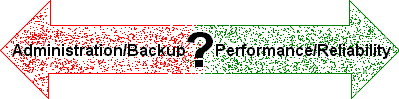
NWA Quality Monitor Workstation can be configured to operate in a variety of network environments. Each configuration offers trade-offs between ease of administration and backup versus performance and reliability. This Tech Note discusses the configuration options and their various advantages and disadvantages.
When looking in the Quality Monitor manual for guidance on setting up help files for use by the data-entry operator in Quality Monitor, the designer is invariably pointed to the built-in help system. While this system works well, it is only capable of displaying rich-text files and NWA’s own help file format (created by the QM help file editor). In fact, if you look beyond the built-in help system, the designer can use just about any type of document, if you plan ahead.
SPC charts that show limited descriptions on the X-axis (some SPC packages only show the data row) are missing key information that is needed to clearly identify potential sources of excessive variation and reveal relationships. Including as much descriptive information as possible makes chart interpretation easier and more accurate. Something as simple as adding axis labels can transform your SPC charts into effective tools for solving problems and improving processes.
An important reason to use NWA Quality Monitor for data entry is its ability to provide real-time alarms and to perform actions based on the alarms. The real-time alarms give you immediate visual and/or audio feedback on product quality. Quality Monitor can automatically save the alarm list, send an email, or perform other actions immediately or upon the completion of the record.
One of the seemingly deep mysteries of SPC (and often-asked questions for NWA Technical Support) concerns the relationship between Histogram 3 sigma limits and Control Chart 3 sigma limits. The limits are used for different purposes: Histogram limits evaluate process capability, Control Chart limits separate common variation from special variation. Still, two main factors produce confusion:
A common question is "Which control chart should I use?" Although the answer can become deep and complex, here are some simple recommendations.
First decide what type of data you're dealing with.
With variable data, decide how large subgroups are.